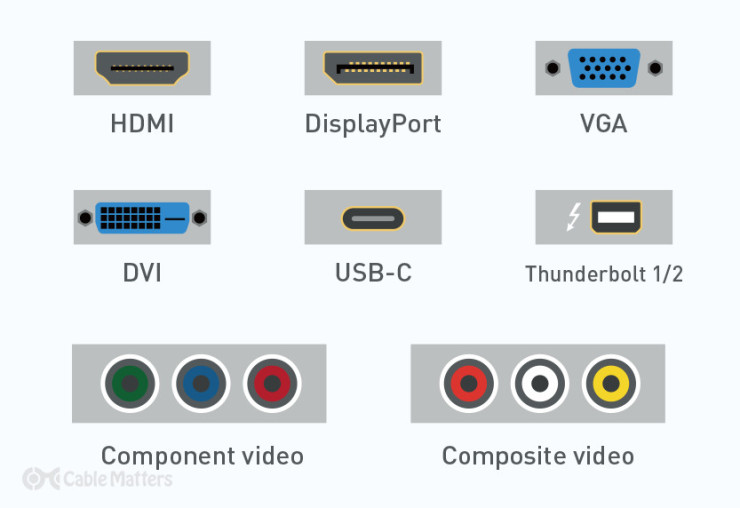
HDMI
A mainstream audio and video transmission cable that’s been predominantly used on consumer TVs and monitors, games consoles, DVD and Blu-Ray players for well over a decade. In some rare cases, it’s available in mini form.
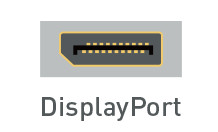
Another audio and video transmission cable that is more commonly found on desktop monitors. DisplayPort cables have traditionally offered greater bandwidth than HDMI, though that’s not always the case. You’ll also find the Mini DisplayPort cable type, which is a miniature version of the full-size port commonly found on laptops.
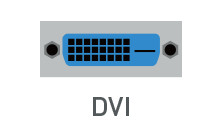
A video-only cable type that is typically found on older monitors, desktop graphics cards, and laptops. Commonly found in DVI-D and DVI-I formats, it was also available as Mini-DVI and Micro-DVI for a time.
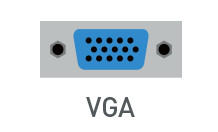
An older analog standard of video-only cable that gained prominence in the early ‘90s. Since superseded by DVI, HDMI, and DisplayPort, it’s only typically found on older monitors.
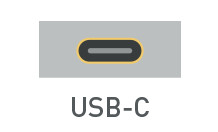
The most versatile monitor cable type, USB-C can transmit audio, video, and data simultaneously, thanks to its support of the DisplayPort Alt Mode protocol. USB-C monitors can, in some cases, also transmit power to connected laptops, while portable USB-C monitors can be powered entirely by a single USB-C from the host device.
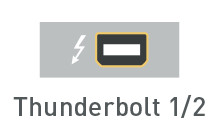
A proprietary monitor cable type that was until recently restricted to Intel-based systems, different versions of Thunderbolt used different connectors. Thunderbolt 1 and 2 use Mini DisplayPort, whereas Thunderbolt 3 and 4 use USB-C. It can support audio, video, and data, and has some of the highest bandwidth of any monitor cable type.

These red, green, and blue connectors are sometimes included on monitors to offer an analog video connection type that’s more capable than VGA. It can be useful for connecting older DVD players, or cable set-top boxes.

An older, lower-resolution alternative to Component (though it can carry audio as well as video) this monitor cable type comes with red, white, and yellow connectors, and is largely used in older game consoles, VCRs, and set-top boxes.
Other monitor cable types you may see included on some displays, include the legacy optical audio connector, or traditional USB-A ports to use the monitor as a USB hub.
Cables